



gsn_blank_plot
Draws a blank plot with tickmarks pointing inward.
Prototype
load "$NCARG_ROOT/lib/ncarg/nclscripts/csm/gsn_code.ncl"  ; This library is automatically loaded
                                                          ; from NCL V6.2.0 onward.
                                                          ; No need for user to explicitly load.

	function gsn_blank_plot (
		wks [1] : graphic,
		res [1] : logical
	)

	return_val [1] :  graphic
Arguments
wksA Workstation identifier. The identifier is one returned either from calling gsn_open_wks or calling create to create a Workstation object.
resA variable containing an optional list of plot resources, attached as attributes. Set to True if you want the attached attributes to be applied, and False if you either don't have any resources to set, or you don't want the resources applied.
Return value
A scalar id of the plot created is returned. This is useful if you want to use setvalues to change some plot options after this function has been called.
Description
This function creates and draws a blank plot with tickmarks pointing inward. By default, the axes will go from 0.0 to 1.0. To change this, you can set trXMinF, trXMaxF, trYMinF, and/or trYMaxF.
If you want the tickmarks to point out, either use gsn_csm_blank_plot, or set gsnTickMarksPointOutward to True.
You can also set any of the Tickmark resources to control their appearance.
The frame is not automatically advanced for this function, so set gsnFrame to True if you need this. To maximize the area that the plot is drawn in, set the special resource gsnMaximize to True.
This function is useful for several purposes:
- If you need to create additional tickmarks for a plot (see example
24 on the maps only
example page or example 11 on
the tickmarks page).
- If you need a blank canvas just for drawing primitives (polylines,
polymarkers, polygons).
- If you need to force an X or Y axis to have irregular spacing,
then as of version 6.0.0, you
can use this function and
set trXCoordPoints
and/or trYCoordPoints
to an array of unequally-spaced values, and then overlay your existing
plot on the blank plot to force your axis to be transformed to one
with irregular-spacing (see example 30 on
the XY plot page).
See Also
Examples
For some application examples, see:
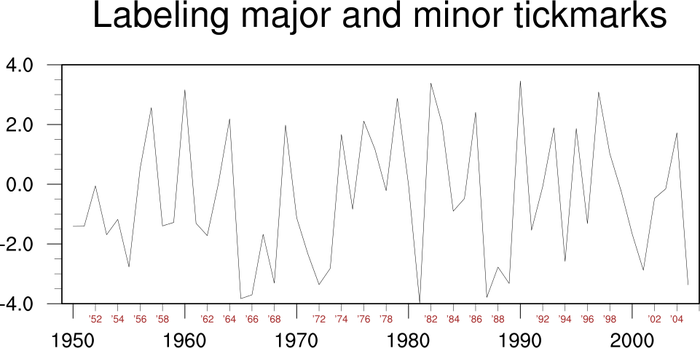
Here's a simple example that creates a default "blank" plot.
load "$NCARG_ROOT/lib/ncarg/nclscripts/csm/gsn_code.ncl"

begin
  wks = gsn_open_wks("x11","blank")

  res = True

  res@gsnMaximize = True
  res@gsnFrame    = True    ; The frame is not advanced by default.

  plot = gsn_blank_plot(wks,res)

end