



NCL Home >
Documentation >
Graphics
Font Tables
There are many fonts available (click on any row to see expanded character set for that font).In NCL V6.1.0, we added southern hemisphere versions of the hurricane and tropical storm symbols. See letters "k" and "m" in font tables 35 and 135, and letters "p" and "s" in font tables 37 and 137.
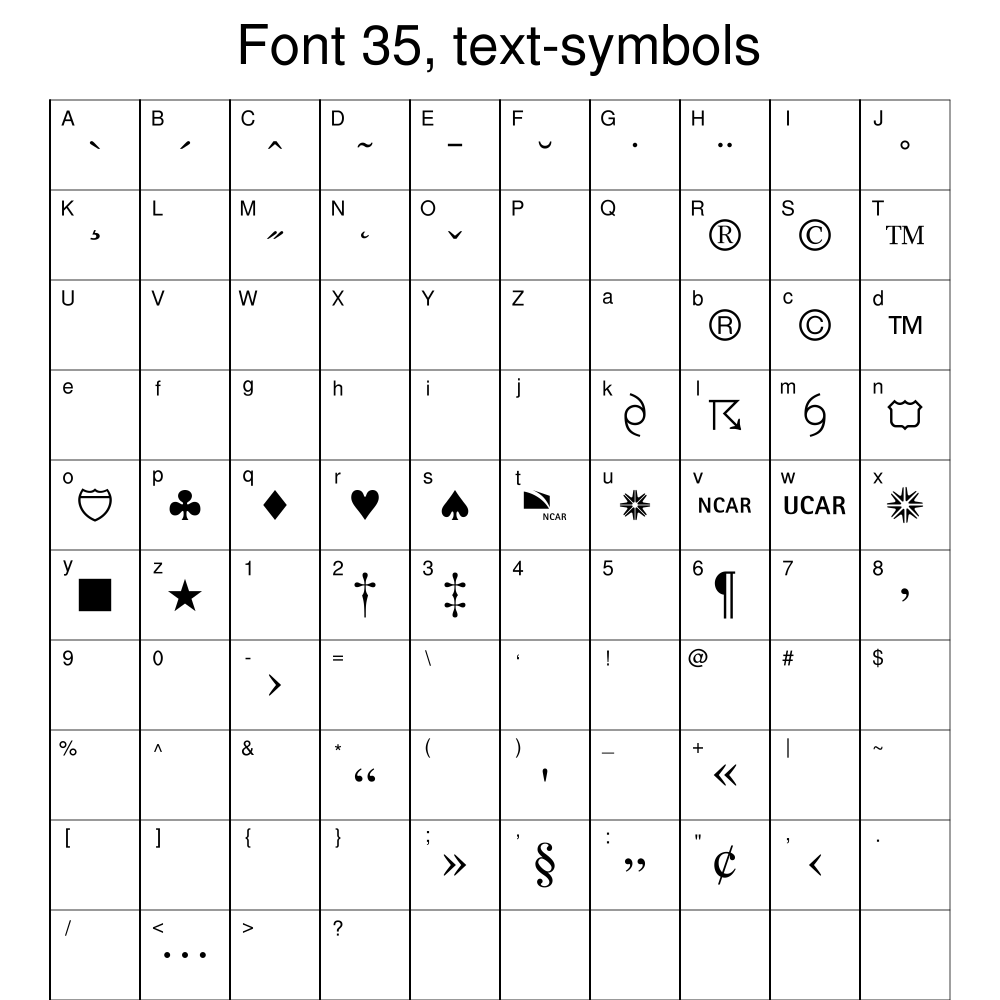
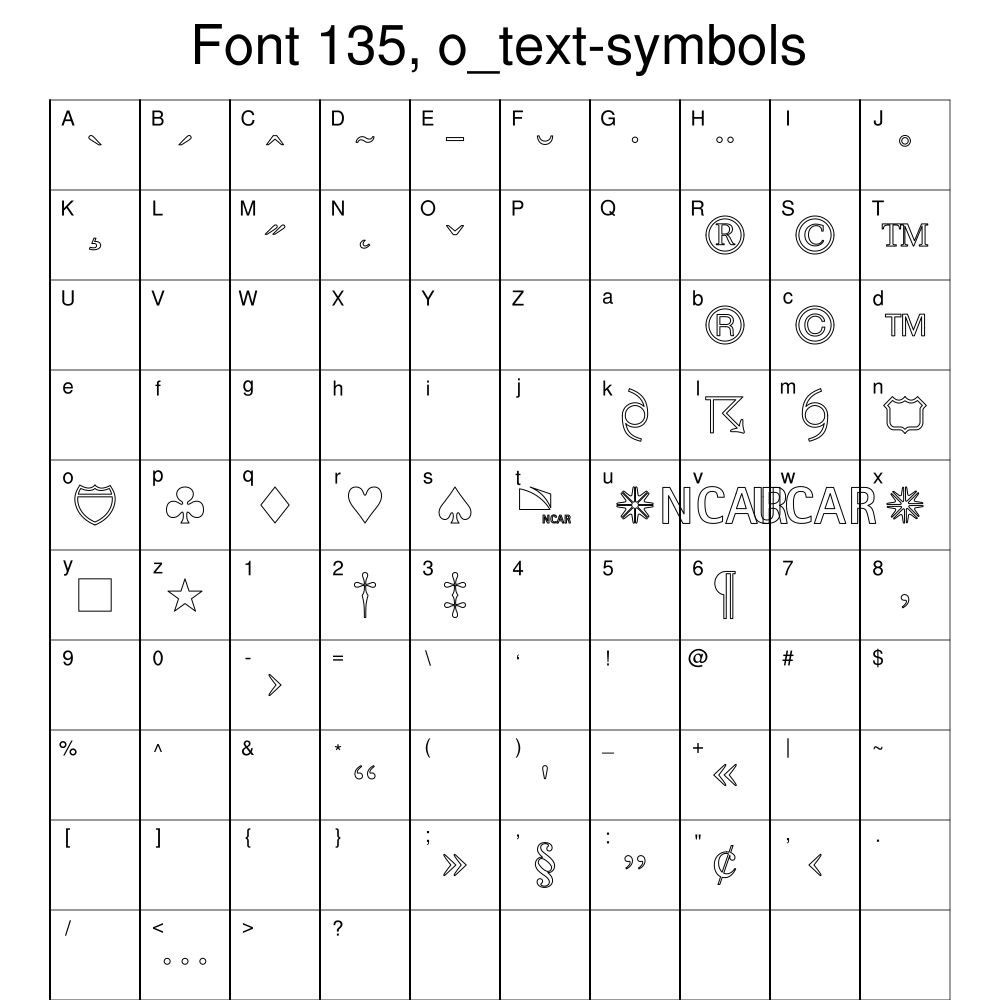
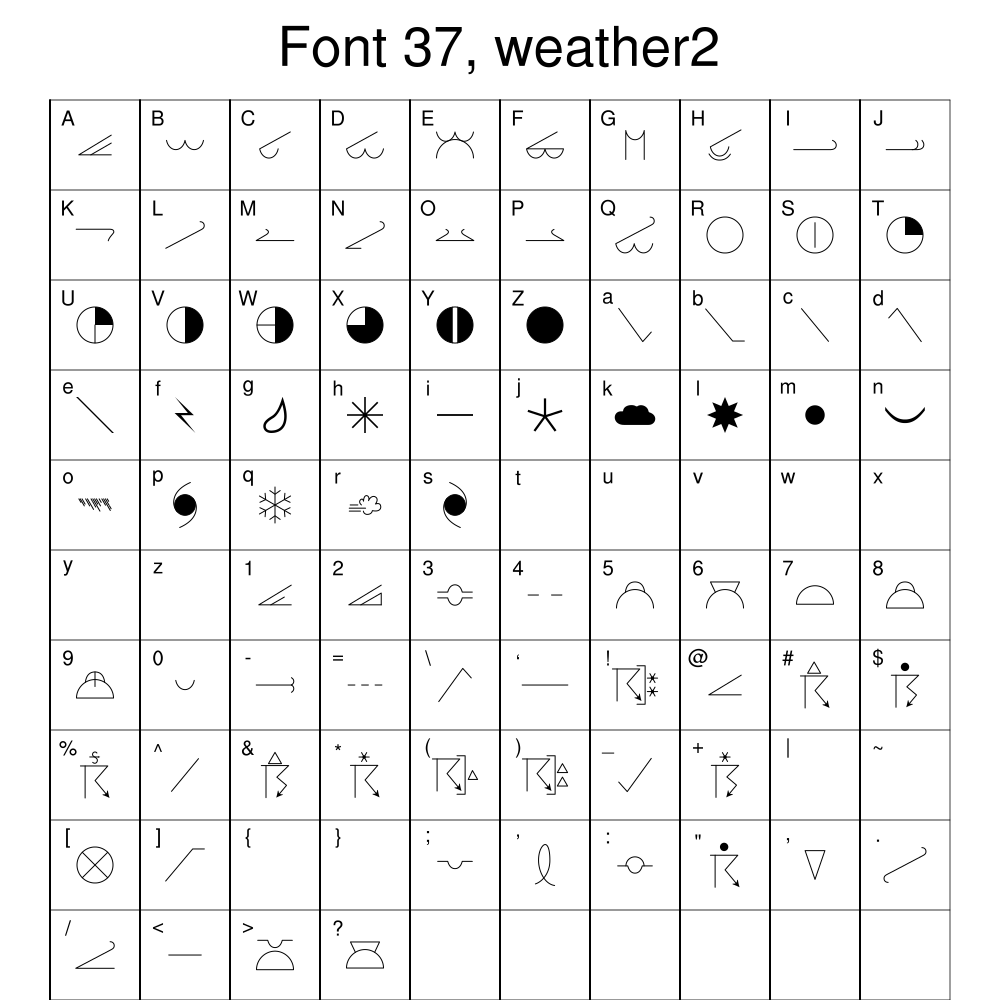
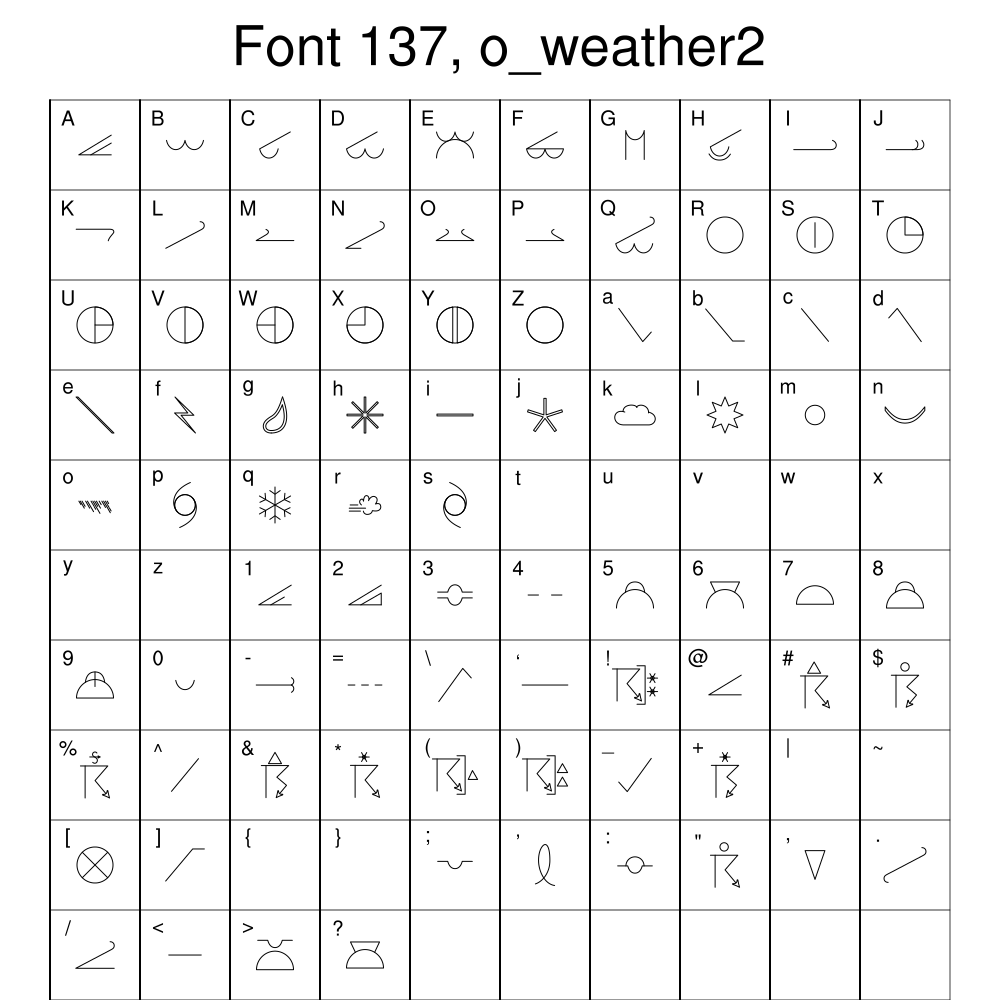
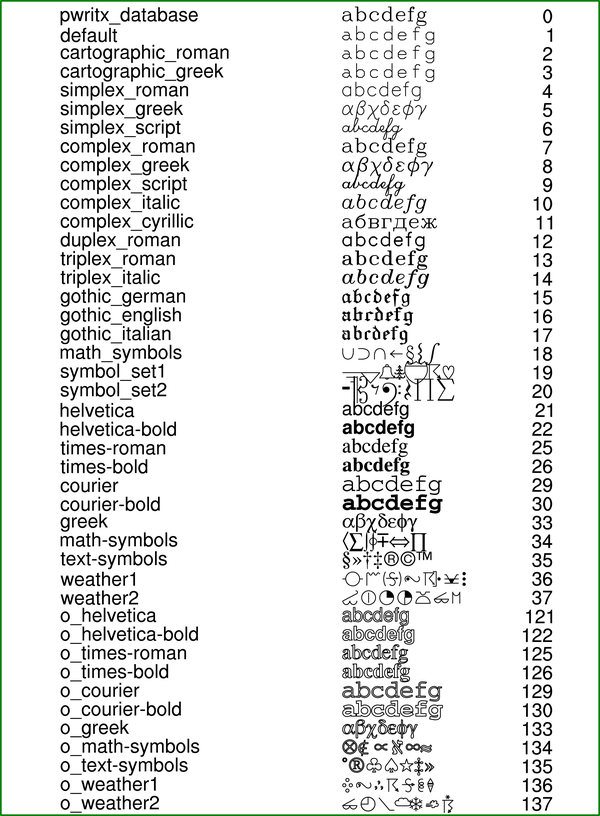
You can change the font of a text string by using one of the appropriate resources: txFont, tiMainFont, tiXAxisFont, tiXAxisFont, lbLabelFont, tmXBLabelFont, tmYLLabelFont, etc. The font can be entered as an integer index value or a string (use above table as a guide).
If there's a particular font you want to apply to all fonts in every plot you ever create, you can set the global "*Font" resource in your .hluresfile:
*Font : times-roman
Application Examples
Code Snippets
----------------------------------------------------------------------
    res          = True
    res@txString = "Hello, World"
    res@txFont   = "helvetica"
----------------------------------------------------------------------
----------------------------------------------------------------------
    gsn_text_ndc(wks,"~F22~Hello World",0.5,0.5,txres)
----------------------------------------------------------------------
----------------------------------------------------------------------
    setvalues text_object
       "txString" " : "Hello, World"
       "txFont"     : "helvetica"
    end setvalues
----------------------------------------------------------------------