



NCL Home >
Documentation >
Graphics
Named colors
Named colors are colors with string names like "FireBrick" and "PapayaWhip" that have RGB triplets associated with them (see the file rgb.txt). They can be used with any graphical resource that defines a color, or to create a color map (see the code snippets below).There are 650 named colors available in NCL.
You can see the color names and their associated colors by clicking on any one of the 15 tables below:
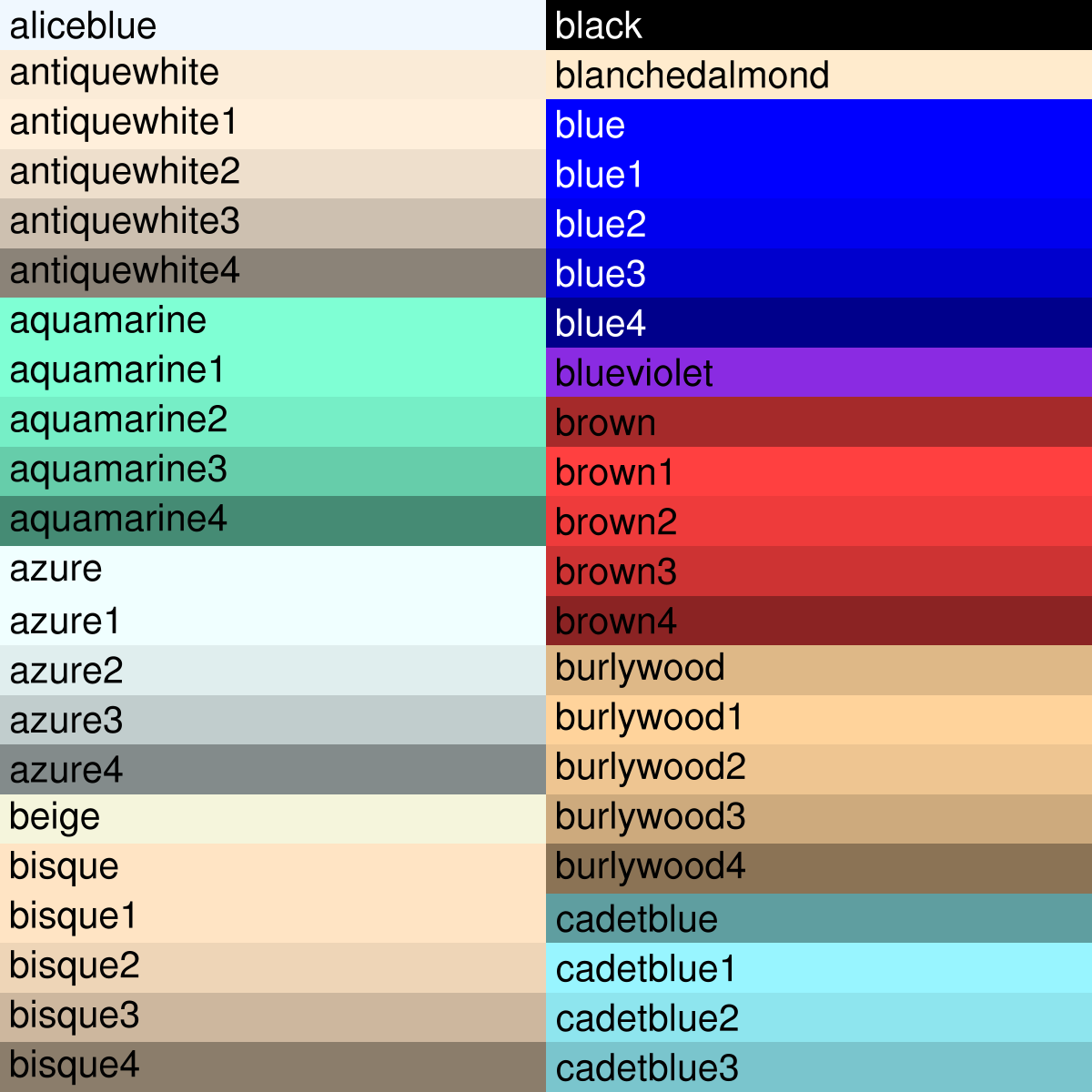
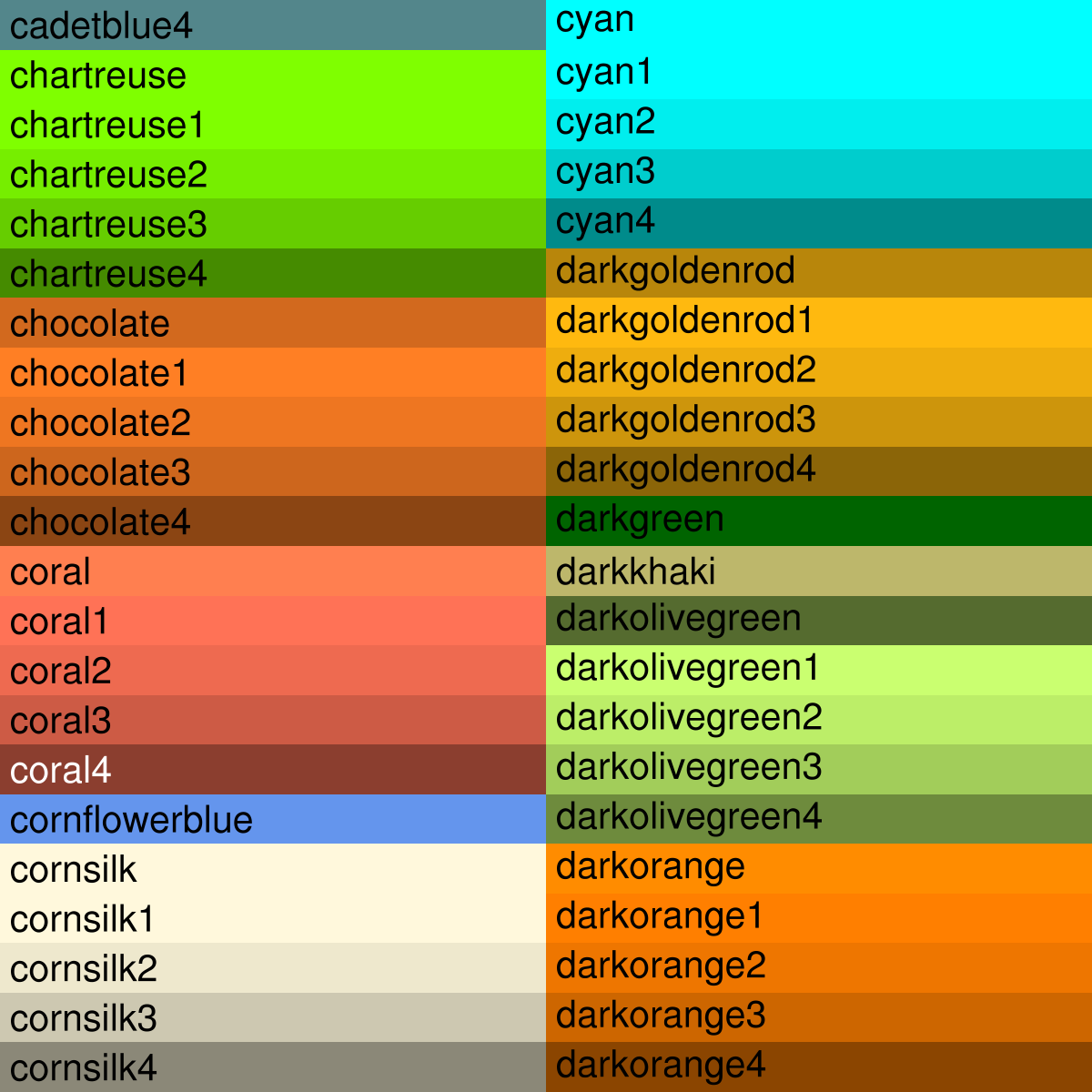
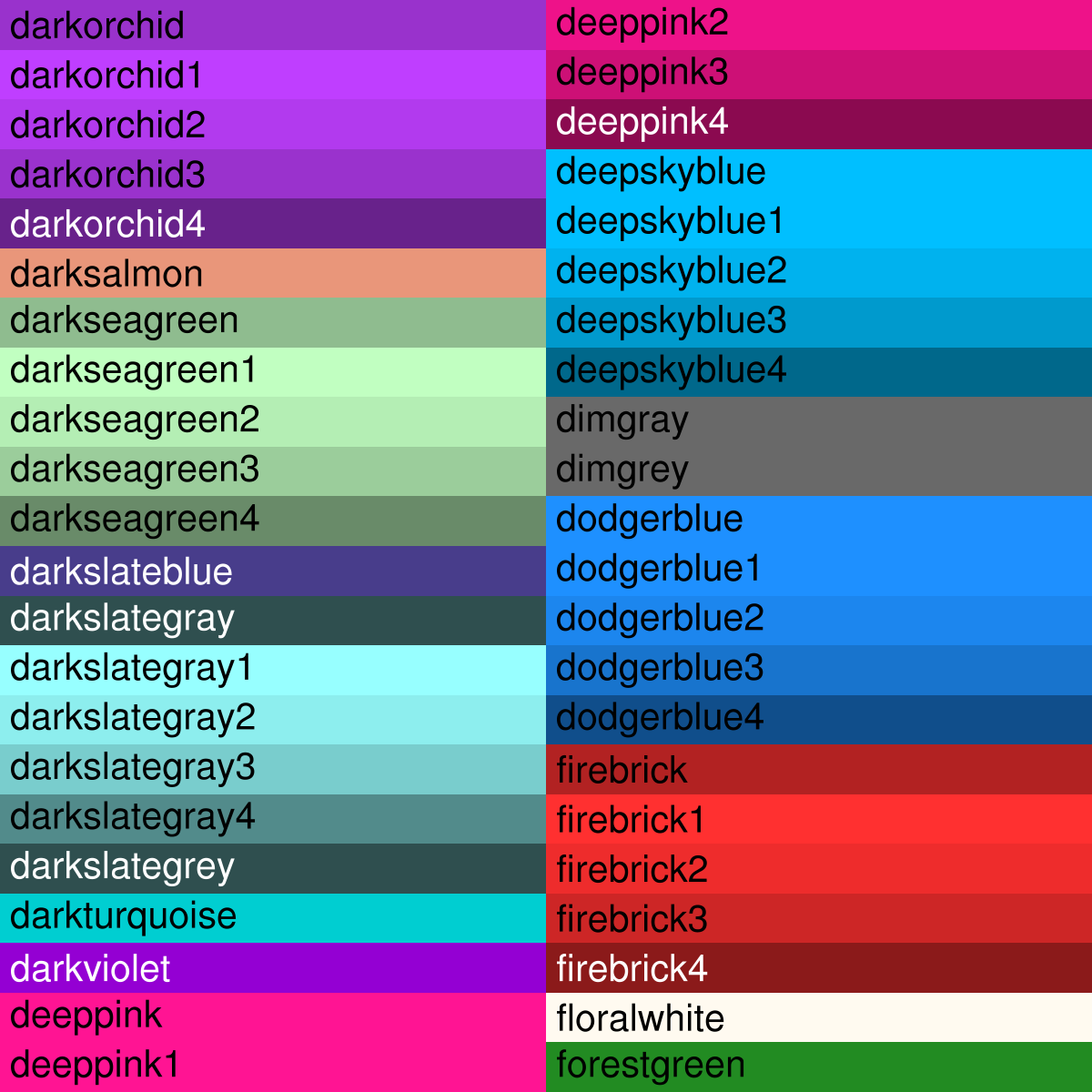
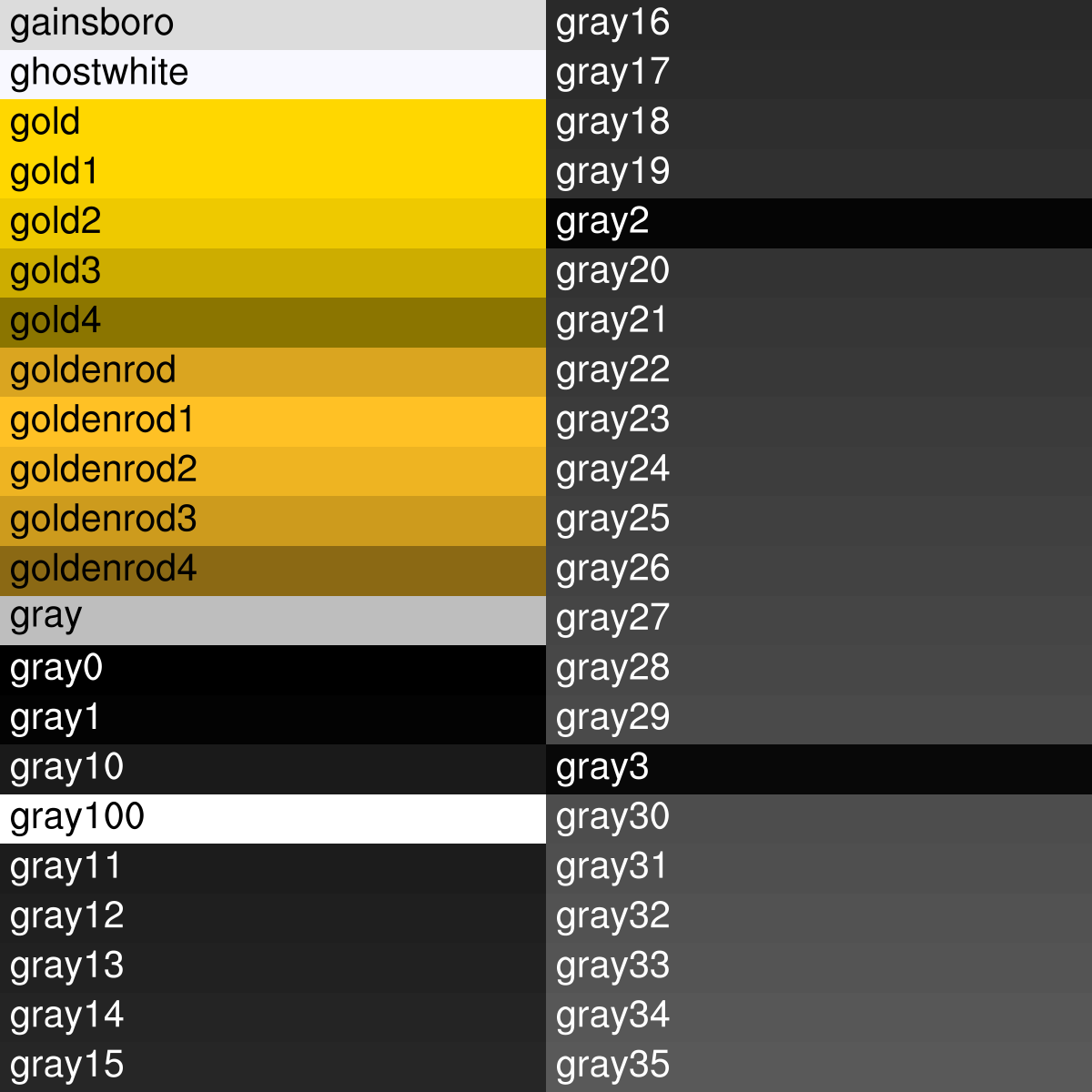
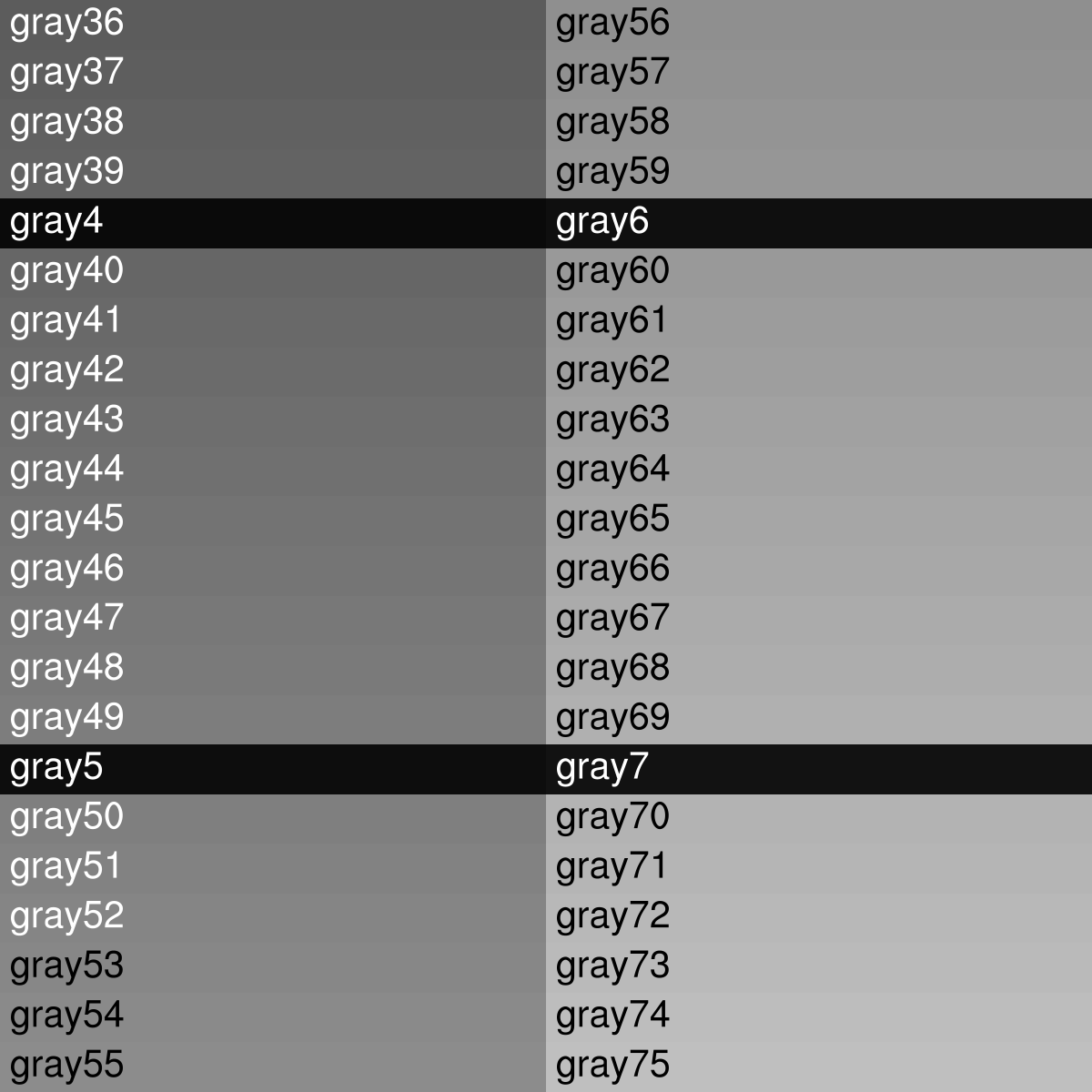
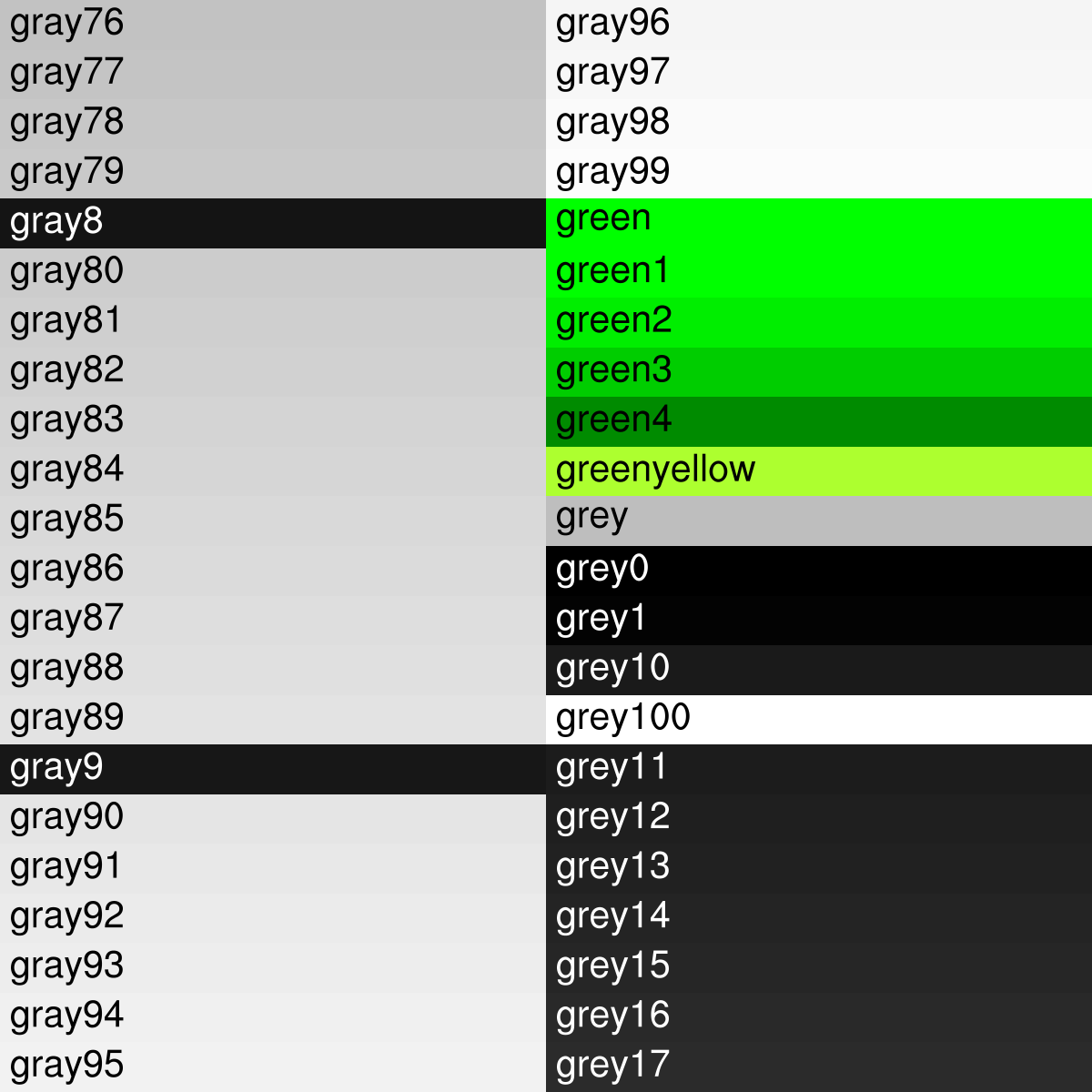
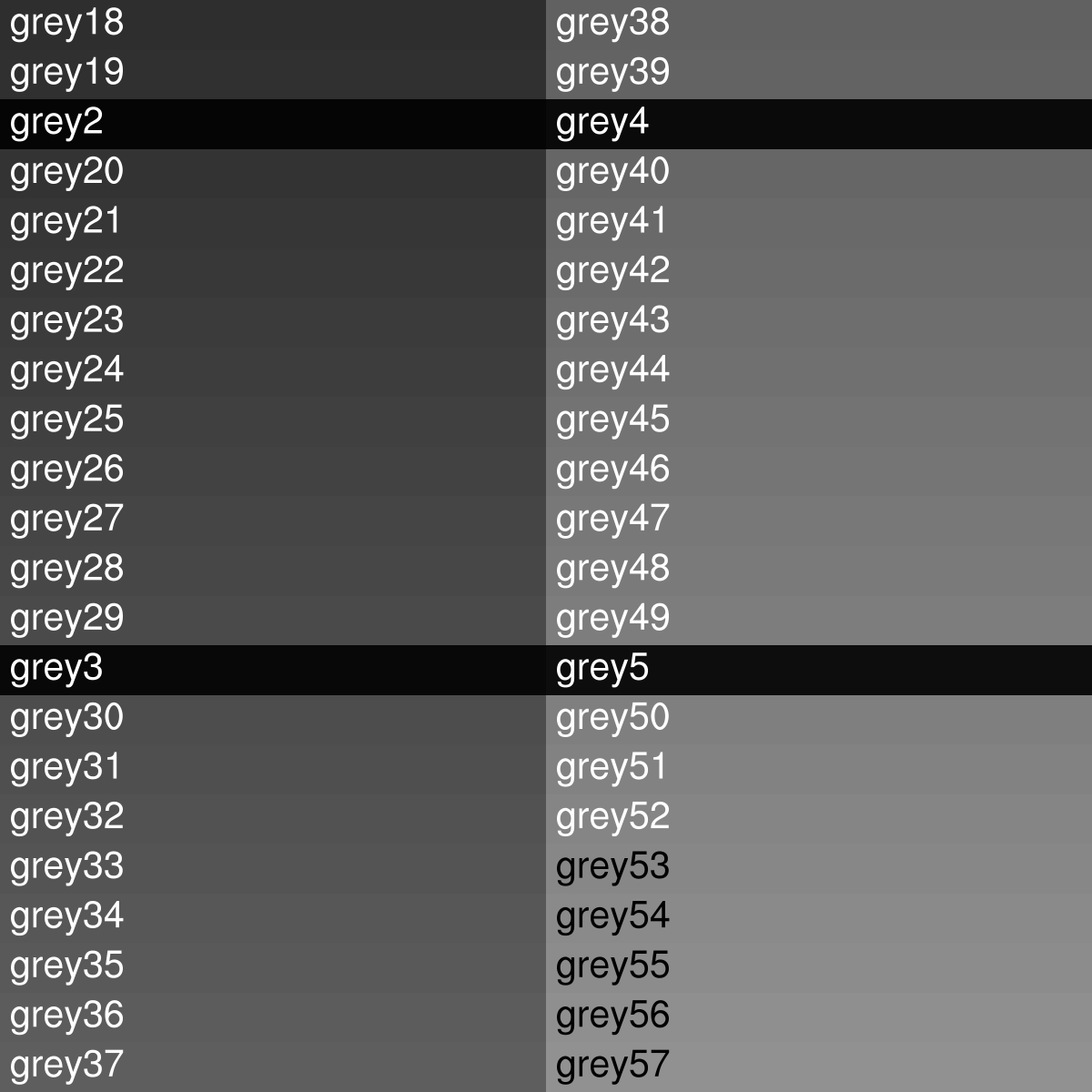
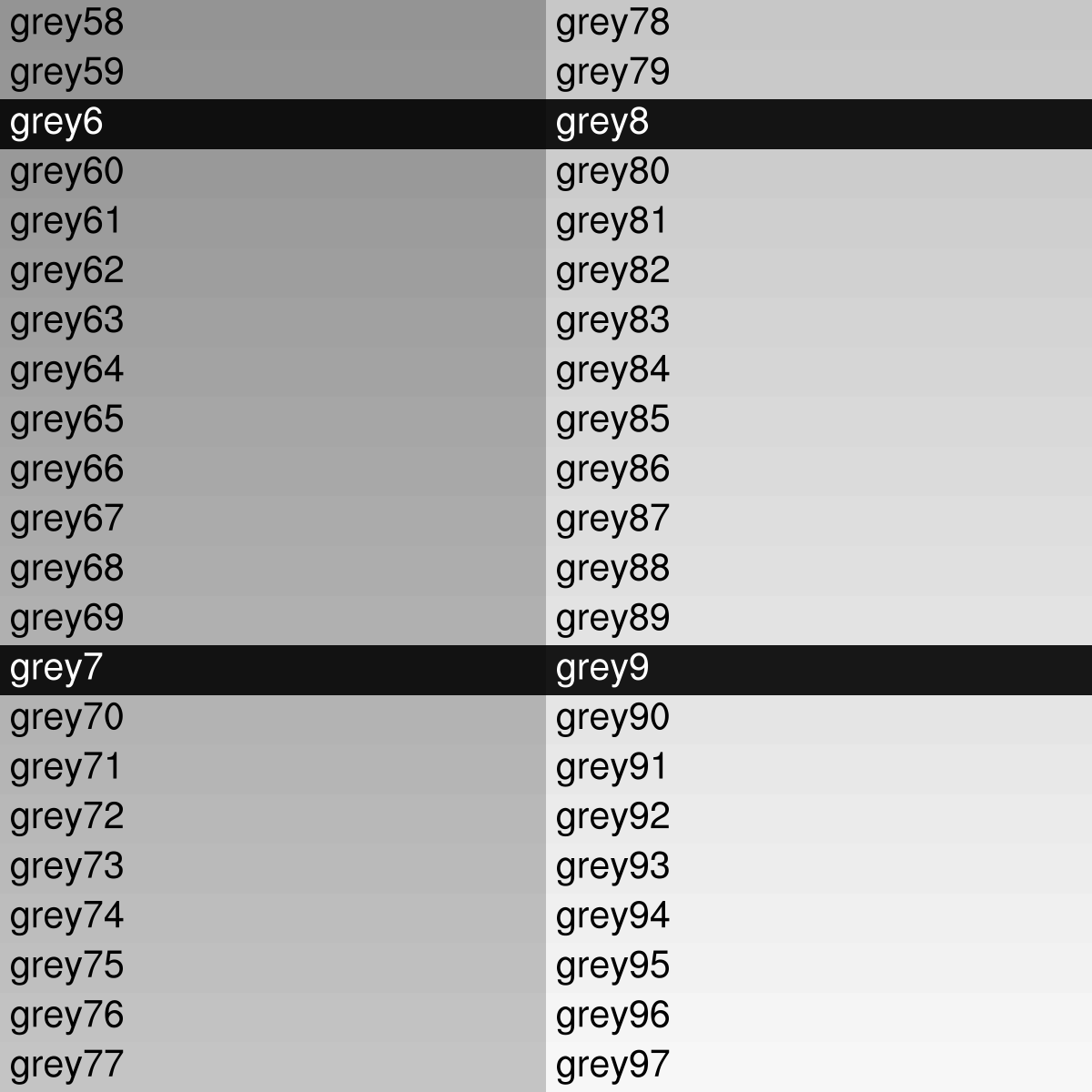
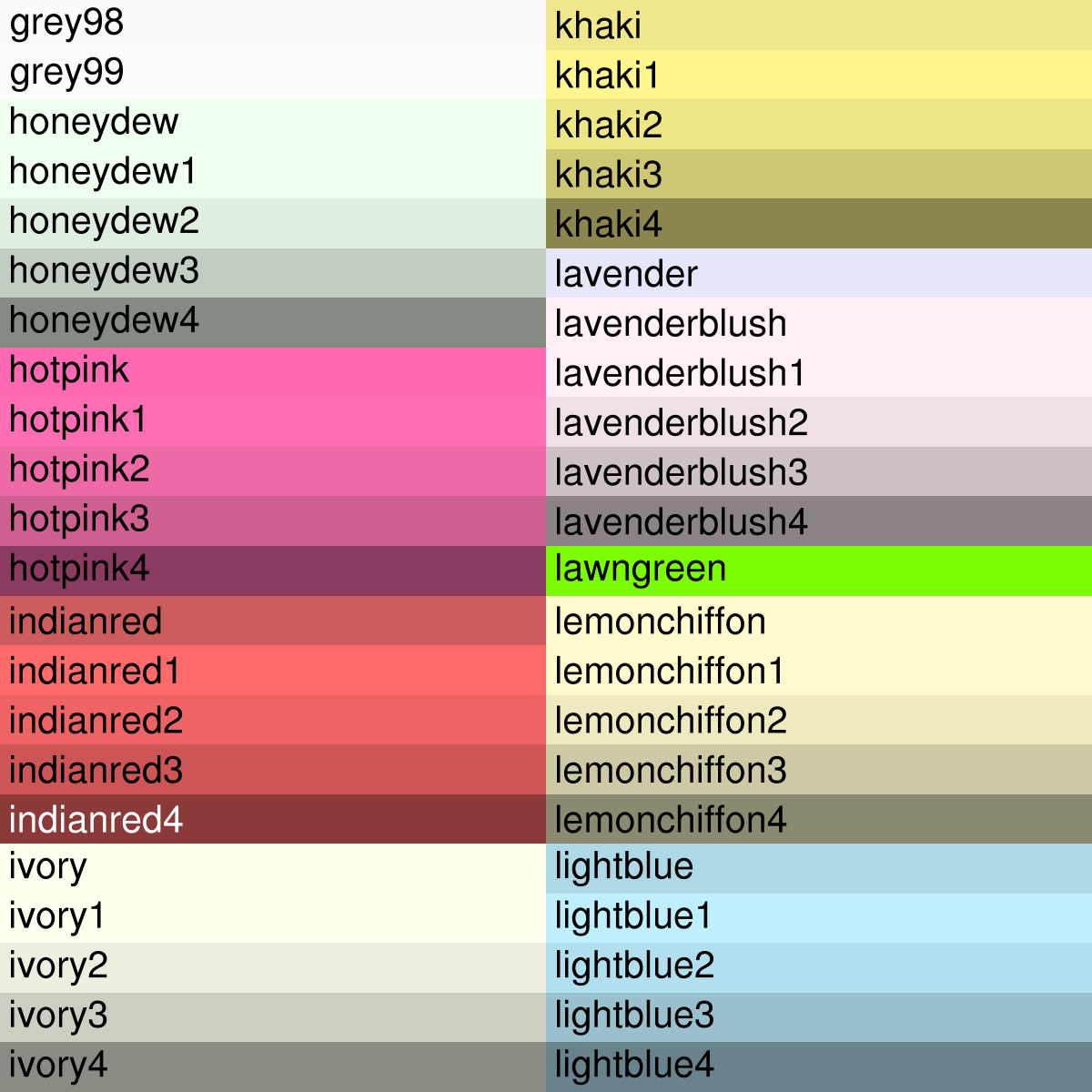
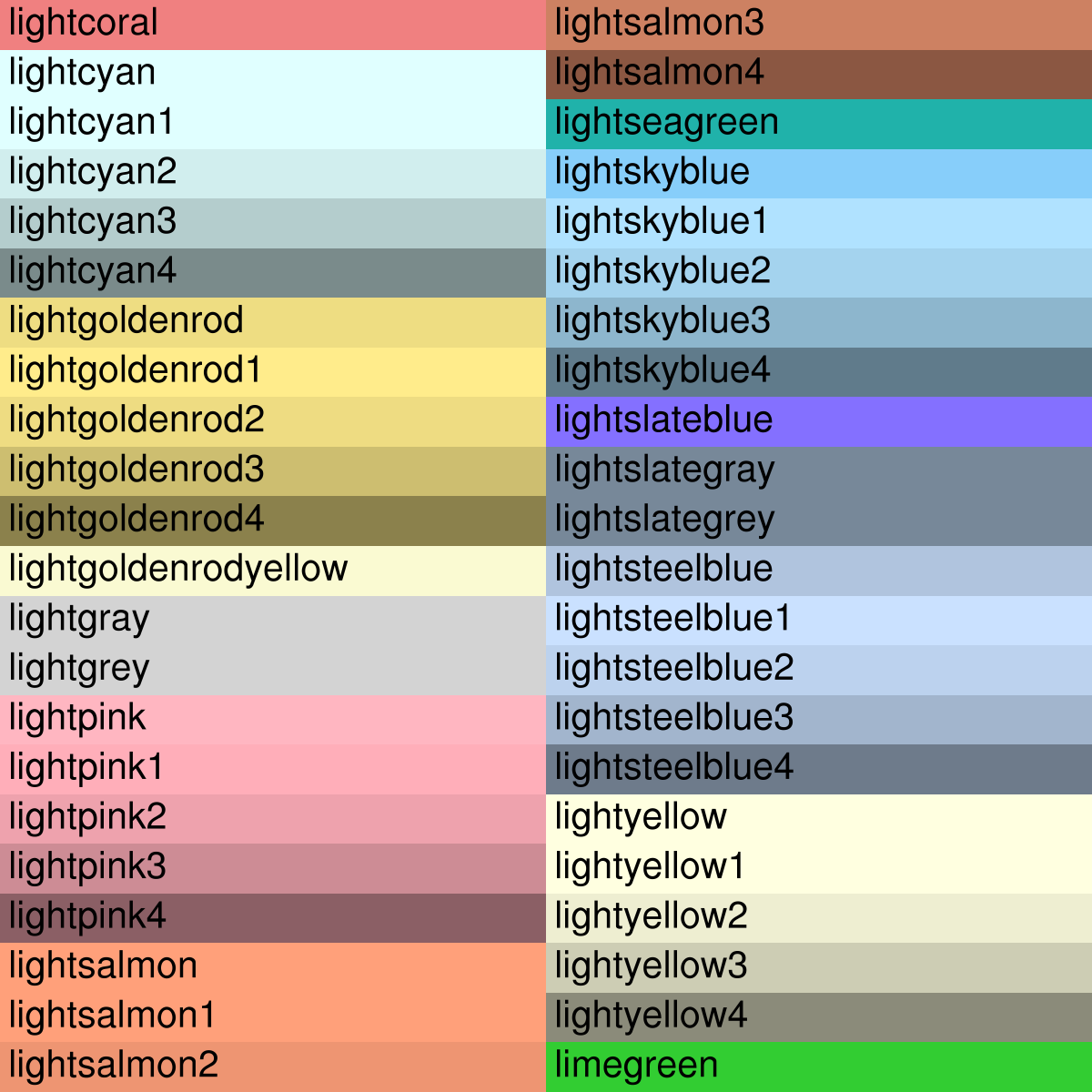
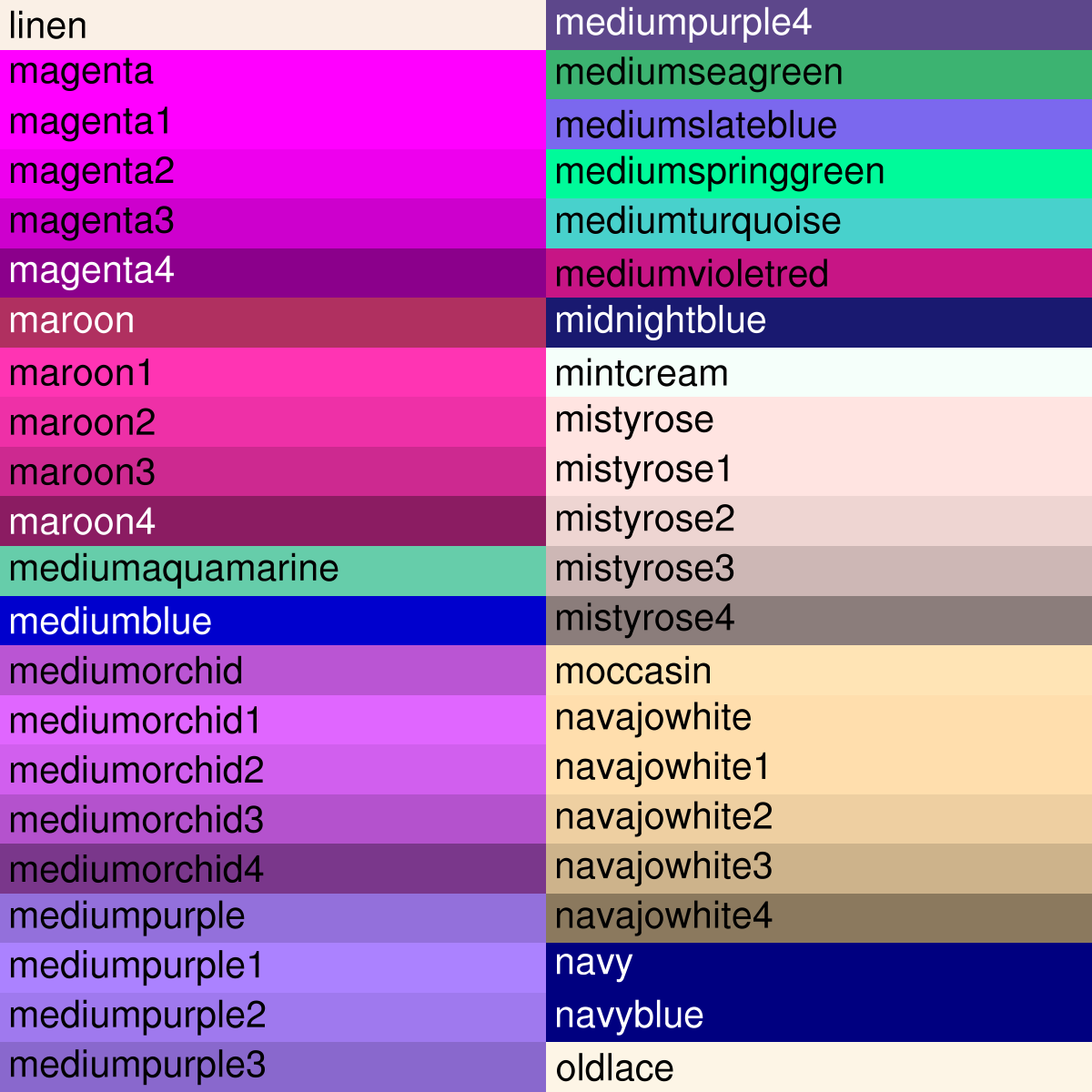
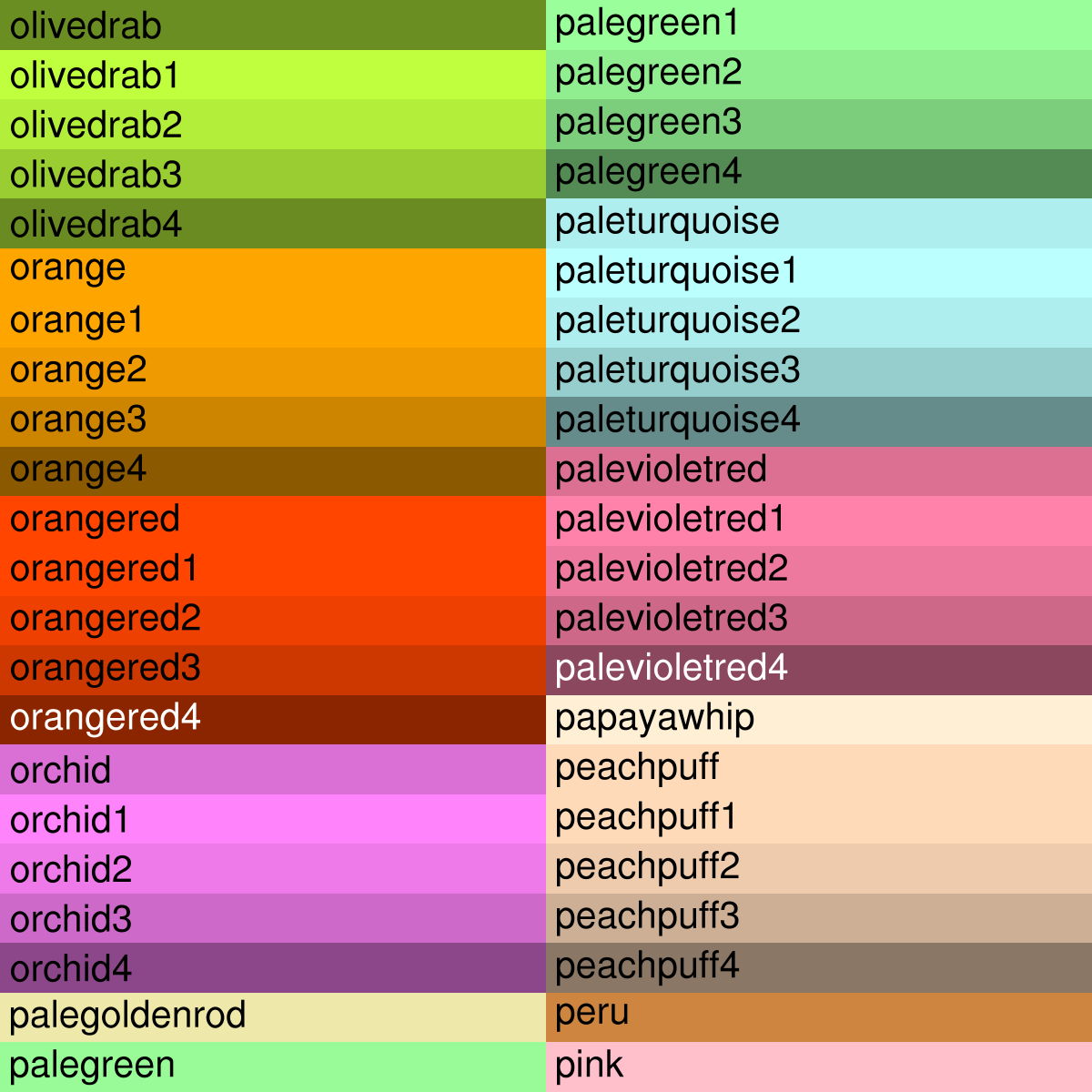
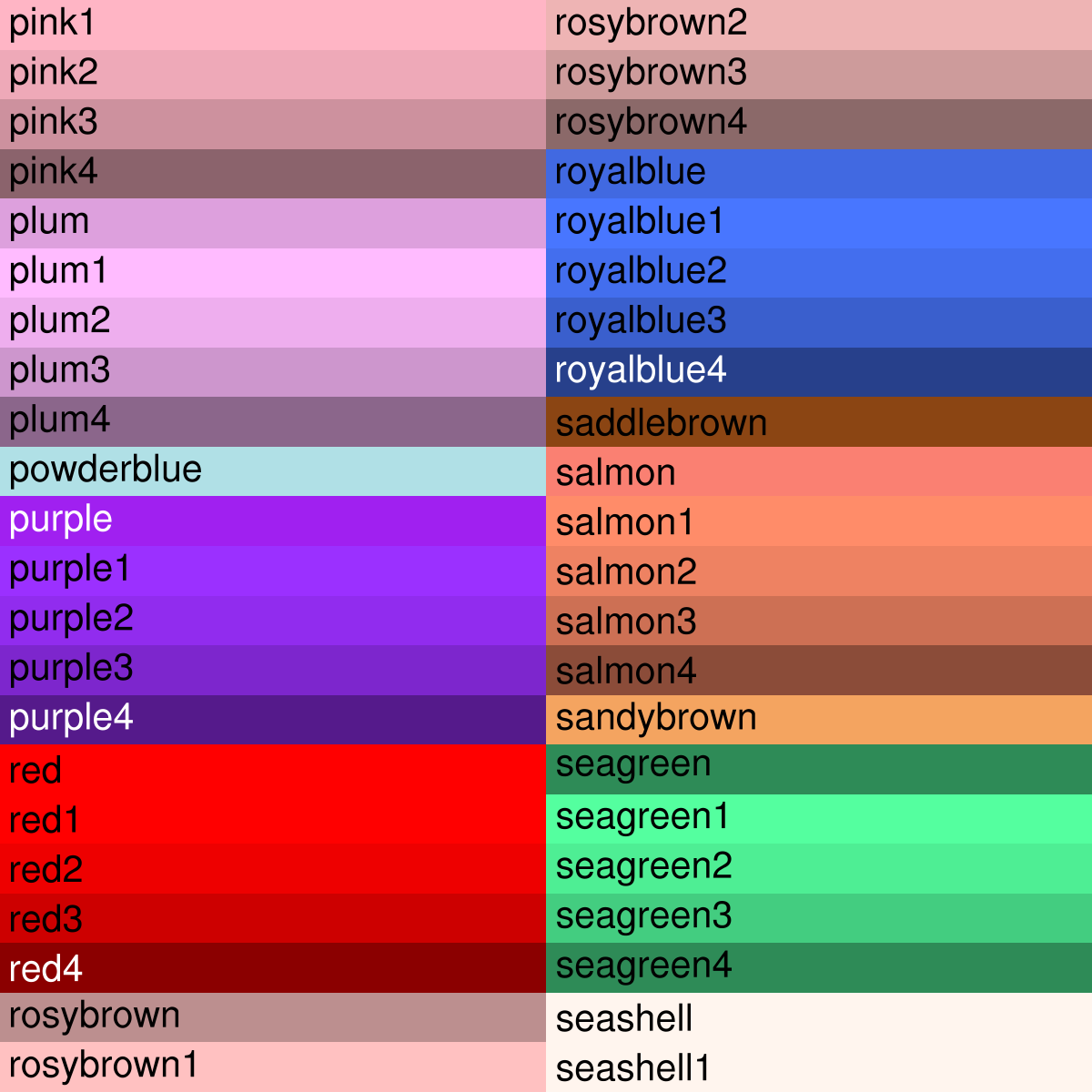
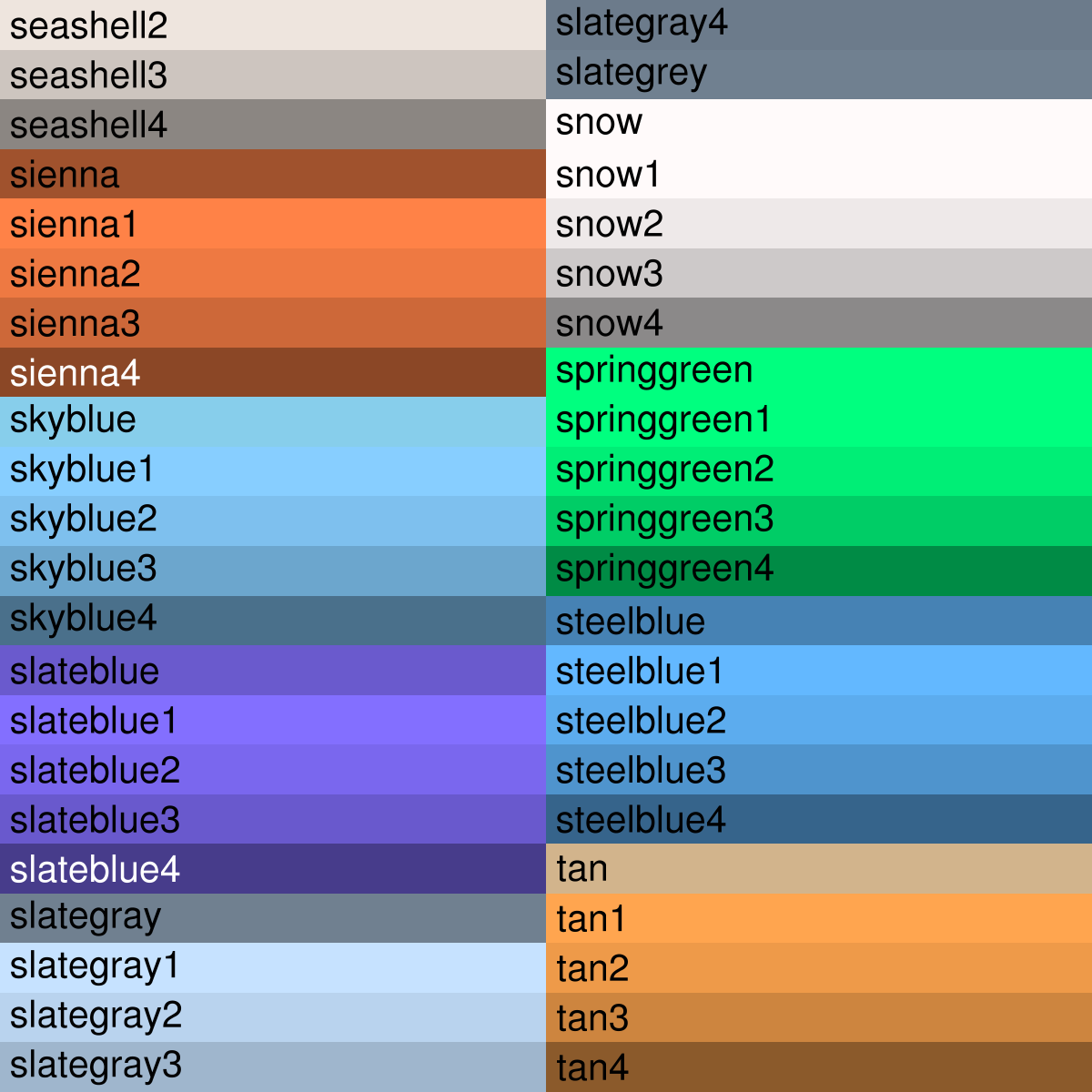
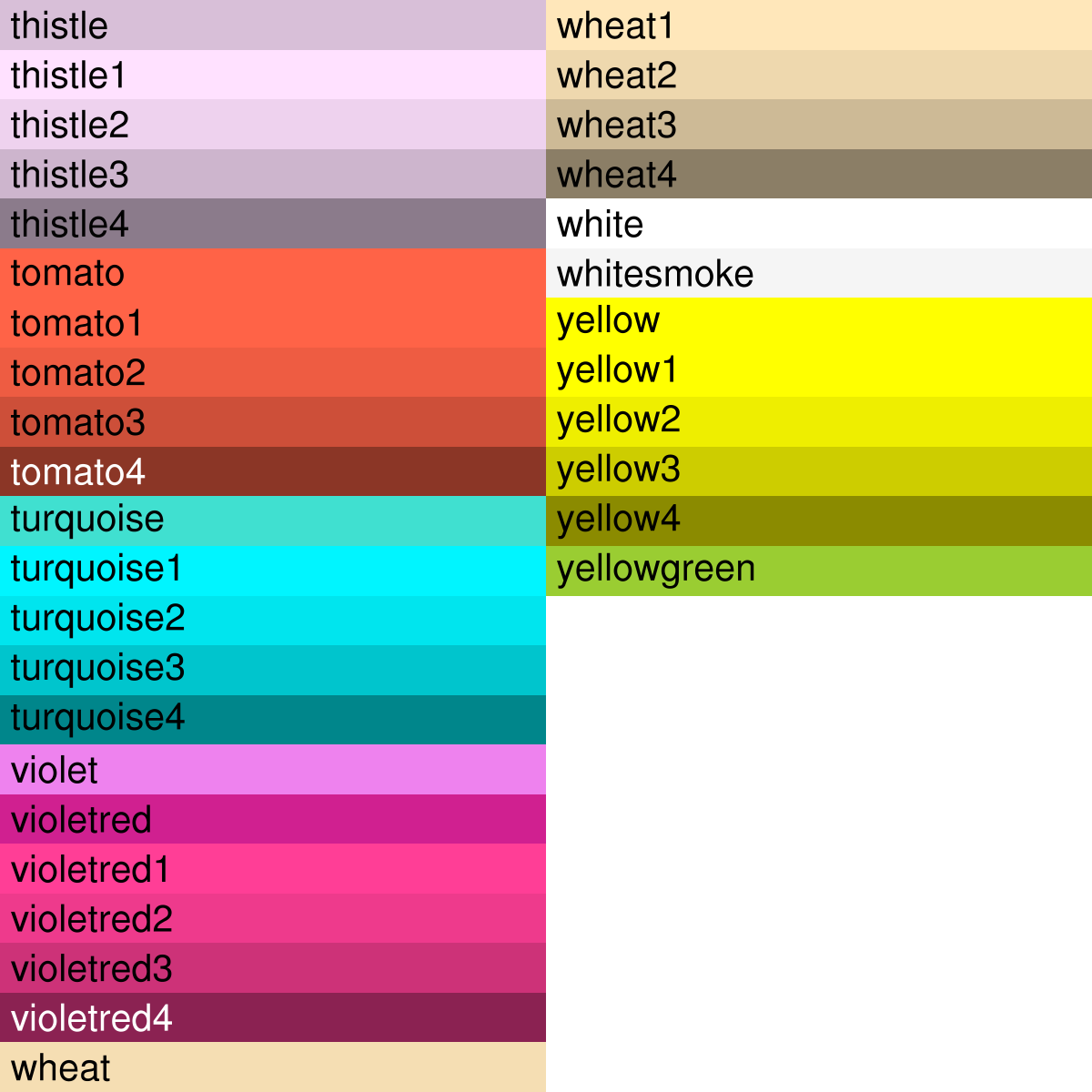
Note that some of the colors are duplicates, like "grey1" and "gray1".
Code snippets
Note that color names are case insensitive:
  res@xyLineColors = (/"Orange","NavyBlue"/)
  res@cnFillPalette = (/"sienna1","steelblue","Snow","salmon","navyblue"/)
  res@mpOceanFillColor = "paleturquoise"
  res@txFontColor = "Coral"
To define a color map using named colors, be sure to include the background and foreground colors:
  wks    = gsn_open_wks("x11","example")
  colors = (/"white","black","White","RoyalBlue","LightSkyBlue",\
             "PowderBlue","lightseagreen","PaleGreen","Wheat","Brown",\
             "Pink"/)
  gsn_define_colormap(wks, colors)
To graphically draw a list of named colors along with their RGB values:
  wks    = gsn_open_wks("x11","example")
  colors = (/"white", "black", "PeachPuff", "MintCream", "SlateBlue",  \
             "Khaki", "OliveDrab","BurlyWood", "LightSalmon", "Coral", \
             "HotPink", "LemonChiffon", "AliceBlue", "LightGrey",      \
             "MediumTurquoise", "DarkSeaGreen", "Peru", "Tomato",      \
             "Orchid","PapayaWhip"/)
  gsn_draw_named_colors(wks,colors,(/4,5/))
To create a color table that spans between a list of named colors and then draw it:
  wks = gsn_open_wks("x11","example")

  colors = (/"RoyalBlue","IndianRed","PaleGreen"/)
  rgb = span_named_colors(colors,False)
  gsn_define_colormap(wks,rgb)
  gsn_draw_colormap(wks)
To define a color map using a combination of RGB triplets and named colors, enclose the RGB values in quotes:
  wks = gsn_open_wks("x11","example")

  cmap = (/"(/1.00, 1.00, 1.00/)", "(/0.00, 0.00, 0.00/)", \
           "(/.560, .500, .700/)", "(/.300, .300, .700/)", \
           "(/.100, .100, .700/)", "(/.000, .100, .700/)", \
           "(/.000, .300, .700/)", "(/.000, .500, .500/)", \
           "(/.000, .700, .100/)", "(/.060, .680, .000/)", \
           "(/.550, .550, .000/)", "(/.570, .420, .000/)", \
           "(/.700, .285, .000/)", "(/.700, .180, .000/)", \
           "(/.870, .050, .000/)", "(/1.00, .000, .000/)", \
           "CadetBlue", "Ivory", "LimeGreen", "DarkSalmon"/)

  gsn_define_colormap(wks,cmap)